
Historic archive
How to launch PHP - Open Web Analytics in VirtEngine
Introduction Open Web Analytics (OWA) is an open source web analytics framework written in PHP. OWA was born out of the need for an open source framework that could be used to easily add…
VirtEngine by DET.io 2 minutes

Introduction
Open Web Analytics (OWA) is an open source web analytics framework written in PHP. OWA was born out of the need for an open source framework that could be used to easily add web analytics features to web sites and applications. The OWA framework also comes with built-in support for popular web applications such as WordPress and MediaWiki. As a generic web analytics framework, OWA can be extended to track and analyze any web application.
This tutorial will guide you in launching a php web application (Open Web Analytics) in VirtEngine.
Prerequisites
-
You are running Ubuntu 14.04 or Linux workstation.
-
Git is installed on your workstation, which you can do by following the How To Install Git with Apt.
-
You have an account on GitHub, which is a Git repository host.
-
You have to create a valid credential for accessing https://console.VirtEngine.com. How to create an account with VirtEngine
-
You have to install openssh-server for ssh access in your worstation.
sudo apt-get install openssh-server -
Check SSH working properly
ps aux | grep sshd
This initial section contains everything you need to get Open Web Analytics App and running on your server.
Step-1 Fork Open Web Analytics
-
Fork Open Web Analytics from https://github.com/verticeapps/php_webanalytics.git
-
You will be see the fork option in the top right corner of the git hub page.click the fork option.
-
The Open Web Analytics repository is forked into your git repository
Step-2 Launch the app
-
Go to VirtEngine Dashboard
-
Click Marketplace on the top bar.Marketplace contains all the linux distros, applications, services and microservices which VirtEngine supports.
-
Click PHP Icon.A window will pop up for your git repository selection.
-
Pick a repository by choosing your repository.
Let us use Github: < mygithub >/php_webanalytics.git
-
You can create new sshkey or use an existing sshkey or upload your own sshkeys too.
-
To launch PHP App.Click Create.
-
Voila ! Your App is up to date.
-
Now that you have launched your app, you might want to launch a service (database) and bind it
Buildpack for php
We use a default PHP build pack using our super cool chef-repo.
The build pack for PHP
#!/bin/bash
#Php builder
#megam_php
local_repo=/var/www/html/currentremote_repo=https://github.com/megamsys/Open-Web-Analytics.git
megam_home=/var/lib/megam/gulp
filename=$(basename "$remote_repo")
extension="${filename##*.}"
project="${filename%.*}"
cd $megam_home
rm -r $project
git clone $remote_repo
rm -r $local_repo/*
mv ./$project/* $local_repo
cd $project
if [  -f "./$project/start" ]; then
chmod 755 ./$project/start
./$project/star
fi
service apache2 restart
Step-3 Open Your Web browser
You can access your web page using https://IP_ADDRESS/current
{<1>}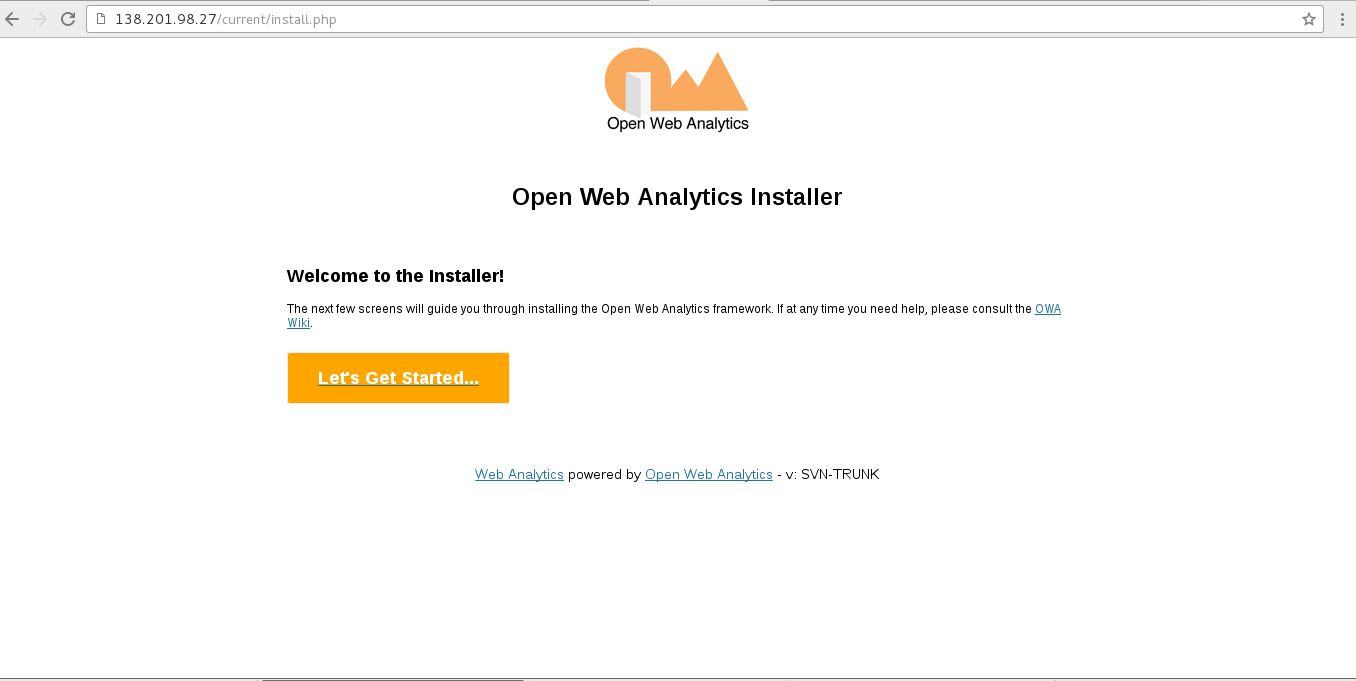
Conclusion
These are the very simple steps to launch a PHP web app (Open Web Analytics) using your github repository.